


Is This a Good Deal? Price History Insights
Our price tracker reveals that Waterlogue: Photo to Painting typically retails for $5.99. This is a rare 100% discount.
App Price
[Free] $5.99 → Free
View History
| start | end | change |
|---|---|---|
| 2025-12-28 | 2026-04-28 | $5.99 → Free |
| 2026-04-28 | Now | Free |
IAP: Waterlogue Unlimited (Lifetime)
[Discount] $29.99 → $24.99
View History
| start | end | change |
|---|---|---|
| 2026-06-04 | 2026-06-14 | $19.99 → $29.99 |
| 2026-06-14 | 2026-07-12 | $29.99 → $24.99 |
| 2026-07-12 | Now | $24.99 |
Editor's Note: This developer usually offers limited-time promo windows. Act fast before the price reverts.
Why We Recommended It
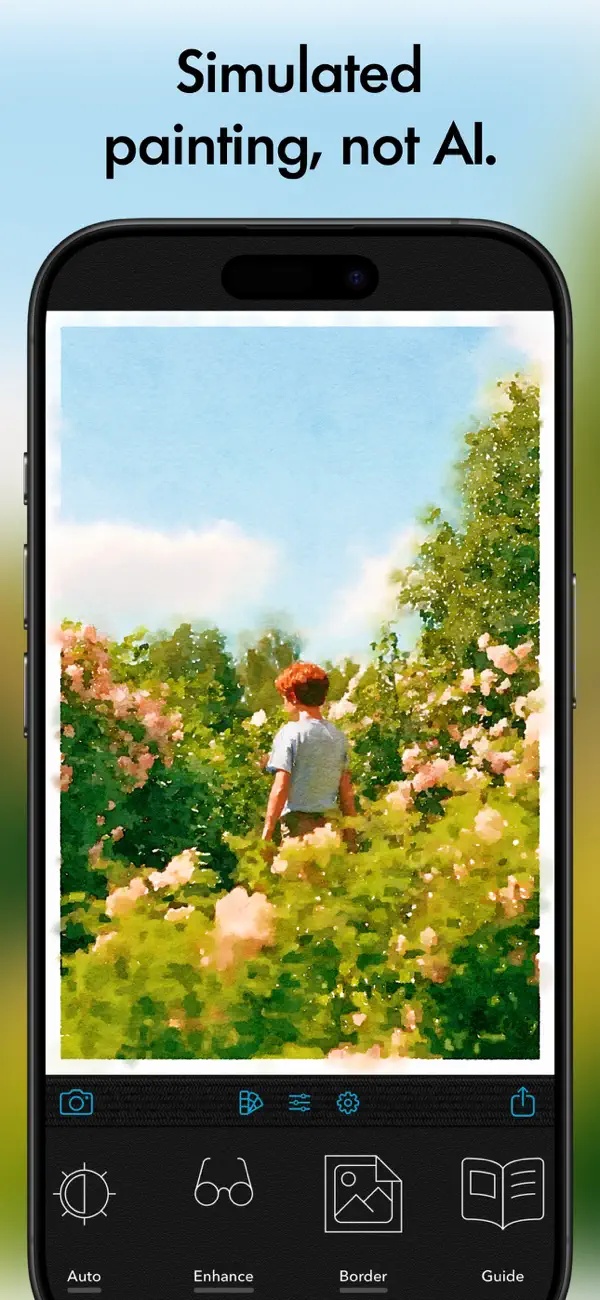
Waterlogue: Photo to Painting transforms your iPhone photos into stunning, hand-painted watercolor art without any artistic skill. Normally $5.99, this award-winning app is now free for a limited time—a rare opportunity to own one of the App Store’s most celebrated creative tools. Unlike generic AI filters, Waterlogue uses a proprietary algorithm that mimics real watercolor behavior, delivering luminous results that look genuinely hand-painted. Whether you're highlighting a landscape, portrait, or pet, the app produces print-quality exports in seconds, with customizable borders, lightness, and detail. It’s been praised by WIRED, Cult of Mac, and even Oprah, and has sold over a million copies since 2013. If you want to turn everyday snapshots into frameable art, Waterlogue offers a uniquely intuitive, private (no cloud uploads) experience that outshines any photo-to-art app on the market. Grab it now while it’s free—your photos deserve a masterpiece. The app is particularly ideal for crafting personalized gifts, decorating your home, or sharing artistic images on social media. Its workflow is seamless: select a photo, choose from expressive styles, and instantly generate a watercolor version that retains the essence of the original. The interface is elegantly simple, making it easy for anyone to achieve museum-worthy results. Waterlogue has been an App Store Best of 2014 and App of the Day, cementing its reputation as the gold standard for mobile watercolor simulation. Don’t miss this chance to add a premium creative tool to your iOS arsenal at no cost.
Why Waterlogue: Photo to Painting is Worth Grabbing Today
Key Features & Value Propositions
Deal Rarity: This app rarely goes on sale. The last recorded price drop was on 2026-07-19. This is the absolute best time to download it.
- Optimized Performance: Processes photos into watercolor paintings in seconds, with no lag and fully offline operation.
- Pro-Level Workflow: Simply pick a photo, select a style, and export a print-ready watercolor masterpiece in under a minute.
- Intuitive Interface: Clean, intuitive controls let you adjust borders, lightness, and detail with just a few taps.
A Closer Look at Waterlogue: Photo to Painting


Technical Specifications & Compatibility
User Reviews
Not all photos are going to translate into the watercolor look properly, but when you find ones that do, wow this app is just amazing!I haven’t tried it with people as I don’t take that many pictures of them, but with nature and animals, I’ve gotten some spectacular results. With close-ups of my pets I get these wonderful warm images that still capture the personality and the expressions. And the nature of the watercolor effect means if I have background clutter it often gets translated into something that captures the colors, but not that you’re looking at clutter. So a photo that I wouldn’t frame because of that background clutter becomes a beautiful image that I do want to hang on my wall. I’ve also used this with photos from my local botanical garden and gotten some really lovely images.
Not all photos are going to translate into the watercolor look properly, but when you find ones that do, wow this app is just amazing!I haven’t tried it with people as I don’t take that many pictures of them, but with nature and animals, I’ve gotten some spectacular results. With close-ups of my pets I get these wonderful warm images that still capture the personality and the expressions. And the nature of the watercolor effect means if I have background clutter it often gets translated into something that captures the colors, but not that you’re looking at clutter. So a photo that I wouldn’t frame because of that background clutter becomes a beautiful image that I do want to hang on my wall. I’ve also used this with photos from my local botanical garden and gotten some really lovely images.
To be honest, I’m not a great artist, and this app is not going to make me a great artist. Your mileage may vary. But dang it, this app makes me feel like I am a great artist capable of producing beautiful images.It’s easy to use. You take a photo or use one from you album (or paste one). It offers you different watercolor styles. You pick one and voila! You get a quick sample render. Choose another and you get a sample thumbnail for comparison. App settings (resolution and exposure) are right there, adjustable on a per photo basis.Whether you are a seriously creative person or just looking for a fun way to experiment and play with your photos, this app is for you, 100%. Other apps might give you a ton more features/filters like oil painting or what have you, but they’re not as fun to use, nor as easy. GET THIS APP.
To be honest, I’m not a great artist, and this app is not going to make me a great artist. Your mileage may vary. But dang it, this app makes me feel like I am a great artist capable of producing beautiful images.It’s easy to use. You take a photo or use one from you album (or paste one). It offers you different watercolor styles. You pick one and voila! You get a quick sample render. Choose another and you get a sample thumbnail for comparison. App settings (resolution and exposure) are right there, adjustable on a per photo basis.Whether you are a seriously creative person or just looking for a fun way to experiment and play with your photos, this app is for you, 100%. Other apps might give you a ton more features/filters like oil painting or what have you, but they’re not as fun to use, nor as easy. GET THIS APP.
I absolutely LOVE Waterlogue. I have used it for years and have turned so many photos into gorgeous watercolors. In all honesty it doesn’t capture faces really well - especially when the subject is looking straight at the camera. But if you catch the subject turned slightly, it does people well. It’s fabulous for architecture inside and out like your home or city scenes. I have printed my Waterlogue images on watercolor paper at Staples and have framed and given them as gifts. And I have made coasters and coffee cups with Waterlogue images. Our friends just took us boating today. I took pics of them and the boat at a pretty waterside restaurant. When thanking them I sent an image of their photo that was turned into a watercolor via Waterlogue. It’s the BEST!
No reviews yet. We'll update once we fetch reviews.
Frequently Asked Questions
Is Waterlogue: Photo to Painting really free to keep?
Yes. When you download it during this promotional window, the app is yours to keep in your account.
Will I need to pay for IAPs later?
We verified core features are included in this free offer. Optional premium services may require separate purchase.